DiscVault icon DiscVault
DiscVault

Your shelf, finally organized.

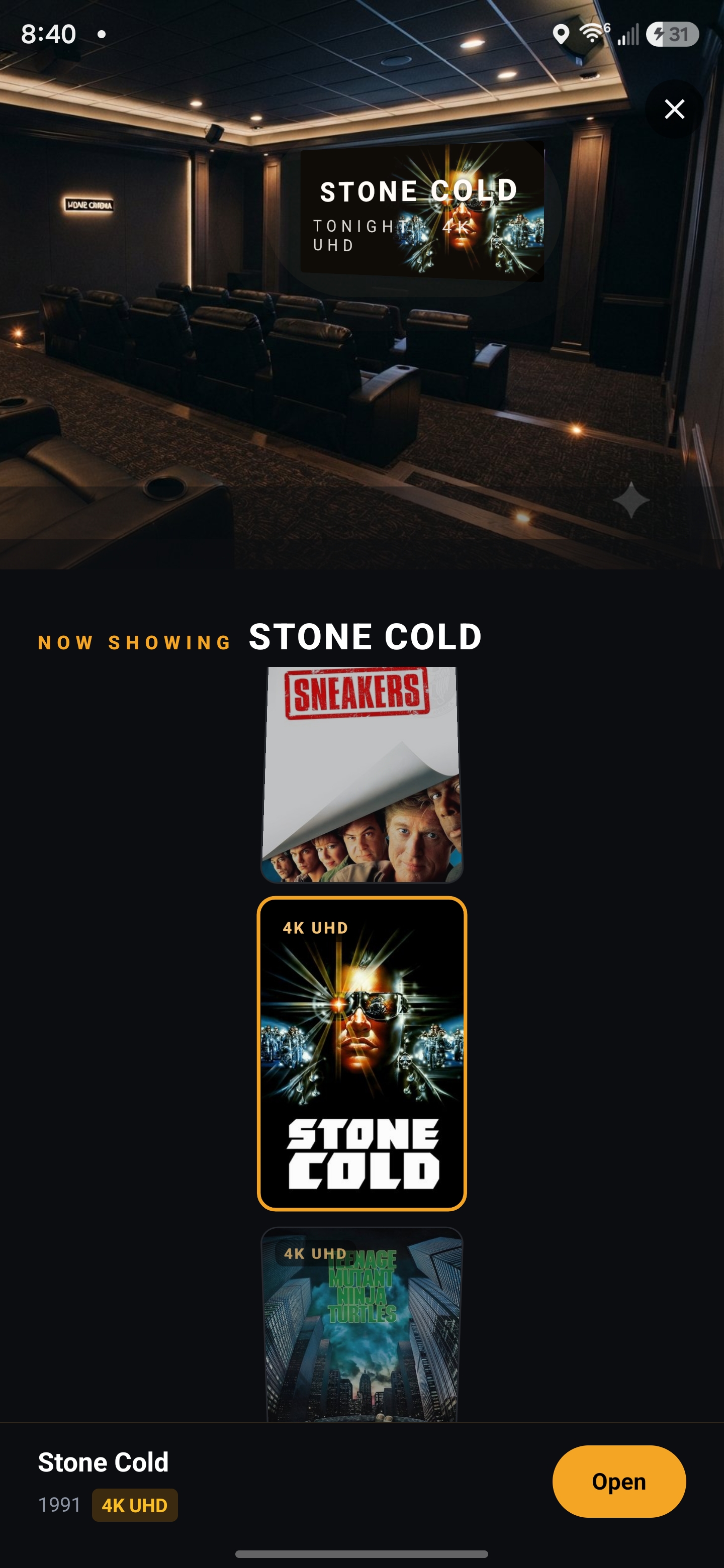
The collector-grade vault for your DVD, Blu-ray and 4K collection — every edition, steelbook and spine number in your pocket.

Scan a barcode and DiscVault catalogs the disc in seconds. Track what you own, never double-buy at the store, and always know what to watch next.

Local-first No account needed Your data stays on your device
4K UHD Blu-ray DVD

Everything a collector wants

Built for people who care which edition they own

Not a spreadsheet with cover art — a hub for the hobby.

📷

Scan & catalog

Point your camera at a barcode and DiscVault pulls the cover, cast and runtime, then files it automatically.

💿

Edition-level tracking

Title → Release → Copy. 4K vs Blu-ray, steelbooks, slipcovers, Criterion spine numbers, and the exact copy on your shelf.

🎲

Never wonder what to watch

A recommender that pulls from your own shelf by mood, runtime and format — or just hit Surprise me.

📅

Journal your viewings

A calendar of what you've actually spun, with posters, rewatch tracking and a year in review.

🧭

Discover & wishlist

Browse trending films, bookmark the editions you're hunting, and convert them to owned when they arrive.

🏆

Stats & collector badges

Counts by format, decade, director and label — plus collector badges and a cheeky Shelf of Shame.

🖼️

Your own covers

Photograph your actual cases and choose whether to show your shot or the database art.

📦

Import & export

Bring a collection in from a CLZ CSV, and export CSV / JSON backups anytime. Your data, portable.

A look inside

Designed to feel like home cinema

Dark, poster-forward, and fast.

Your collection grid
Scanning a disc barcode
Watch Next recommendations
Journal watch calendar
Discover trending films
Profile, stats and badges

Simple & fair

Free to start. Pro when you outgrow it.

The free tier is a real app, not a trial.

Free

100 movies
  • Every feature included
  • Unlimited editions & copies of movies you own
  • Scanning, journal, stats & badges
  • CSV / JSON import & export
  • 100% on-device, no account

Pro

Unlimited movies
  • No catalog limit
  • Everything in Free
  • Cloud sync & backup (coming)
  • Collection value & insurance export (coming)

Beta tester with a code? Unlock Pro in Settings → Redeem a beta code.

Sideloading the beta

Up and running in two minutes

DiscVault isn't on the Play Store yet — it installs straight from the APK.

1

Download the APK

Tap the download button on your Android phone.

2

Allow the install

When Android asks, allow "install unknown apps" for your browser, then confirm.

3

Open DiscVault

A quick first-run setup walks you through the essentials.

4

Add a free TMDB key

DiscVault uses TMDB for covers & details. You paste your own free key — we never bundle one. Get a key →

⬇ Download the beta (APK)

Questions

DiscVault, answered

The quick version — see the full FAQ for more.

Is DiscVault free?
Yes — free for up to 100 movies with every feature included. An optional Pro tier removes the limit for larger libraries.
Is my collection data private?
Yes. DiscVault is local-first: your collection lives only on your device, with no account and no in-app tracking. See the Privacy Policy.
Can I import from CLZ?
Yes — import a CLZ CSV to bring your existing collection in without re-scanning. More in the CLZ alternative guide.
What platforms are supported?
DiscVault is an Android app (sideloaded APK, also on the Solana dApp Store). No iOS version yet.

New to this? Read how to catalog your movie collection or compare the best DVD collection apps.

This is an early beta

You're one of the first to try DiscVault. Found a bug, missing an edition field, or have an idea? I'd genuinely love to hear it.

Share feedback